

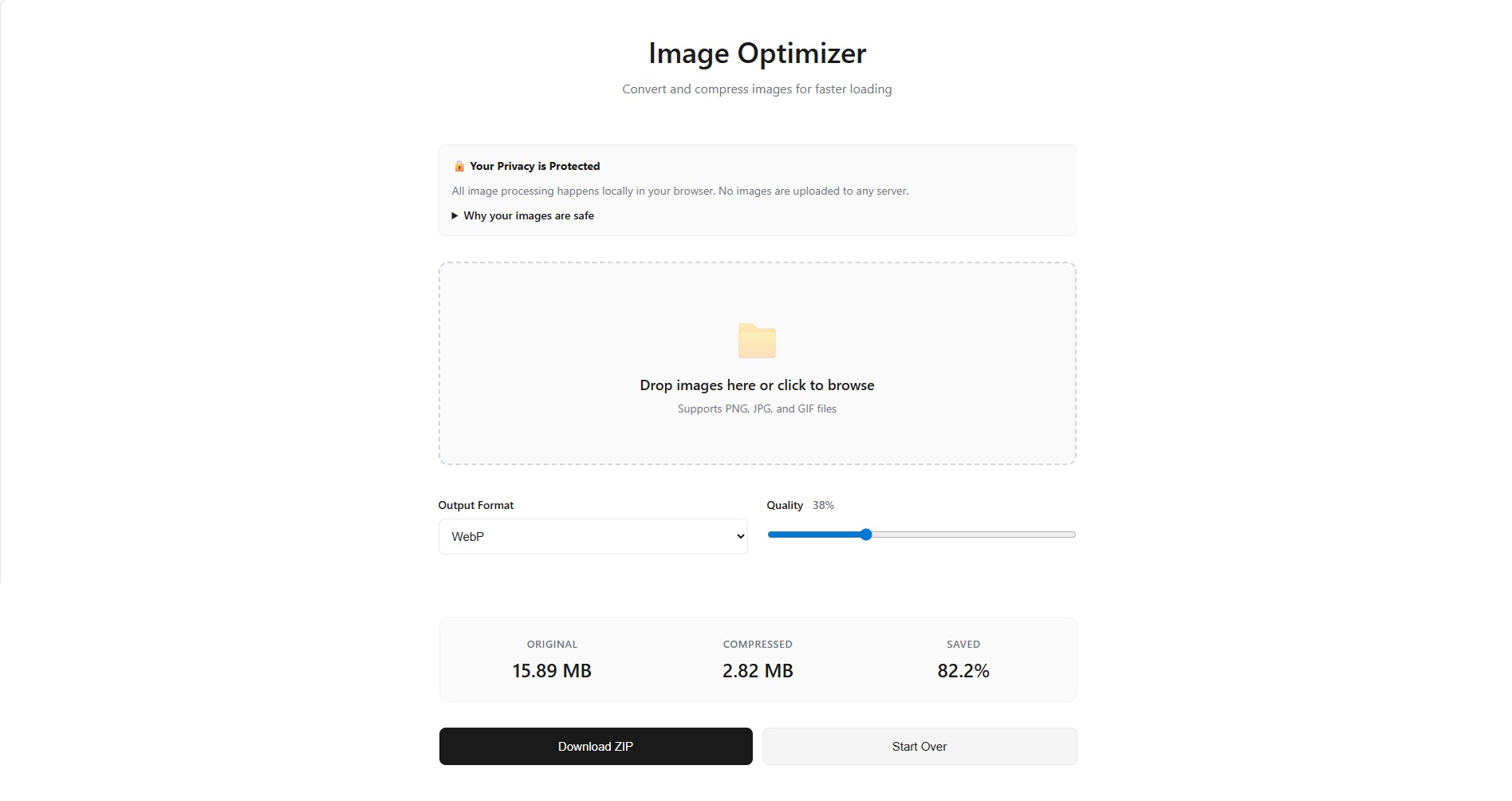

I’m excited to announce the launch of Image Optimizer, a free web-based tool that makes image compression simple, fast, and completely private.
Why I Built This
In today’s web, image optimization is crucial. Large image files slow down websites, increase loading times, and frustrate users. But many existing tools require uploading your images to unknown servers, raising privacy concerns especially when dealing with personal photos, client work, or sensitive materials. I wanted to create something different: a tool that’s powerful yet respects your privacy completely.
What Makes Image Optimizer Different?
Your Images Never Leave Your Computer
This is our core principle. Image Optimizer runs entirely in your browser using modern web technologies. When you upload an image, it stays on your device. No servers. No cloud storage. No uploads. Period. You can verify this yourself by opening your browser’s developer tools and checking the network tab while using the tool. You’ll see no image data being transmitted anywhere.
Dead Simple to Use
I believe powerful tools should be easy to use. Here’s how it works:
- Drag and drop your images (or click to browse)
- Choose your format: WebP for best compression, or JPG for universal compatibility
- Adjust quality with a simple slider
- Click convert and watch the magic happen
- Download everything as a convenient ZIP file
That’s it. No account creation. No sign-ups. No learning curve.
Fast and Efficient
Processing happens directly on your device, which means:
- No waiting for uploads or downloads
- No server queues or processing delays
- Works offline once the page loads
- Handle multiple images at once
See the Results
The tool shows you exactly how much space you’re saving with clear before-and-after statistics. Watch your multi-megabyte PNGs shrink to kilobytes while maintaining excellent visual quality. Key Features
- Multiple format support: Convert PNG, JPG, and GIF images
- Modern output formats: Choose WebP (up to 30% smaller) or JPG
- Batch processing: Handle dozens of images at once
- Quality control: Fine-tune compression with an adjustable slider
- Preserved filenames: Original names stay intact, just the extension changes
- Bulk download: Get all optimized images in one ZIP file
- Real-time stats: See size reductions as you go
Perfect For
- Web developers optimizing site assets
- Bloggers reducing page load times
- Photographers sharing portfolios online
- Social media managers preparing content
- Anyone who wants faster-loading images
For users with heightened security needs, you can download the HTML file and run it completely offline on your local machine. It works perfectly without any internet connection. Technical Excellence
Try It Now https://akhilgeo.github.io/ImageOptimizer—WebP/
Image Optimizer is completely free to use. No registration, no limits, no catches. Whether you’re a professional developer or someone who just wants to email photos without hitting attachment limits, Image Optimizer makes it easy.




Start the conversation